.png)

If you are reading this article, there is a good chance you are already frustrated with a public calendar platform.
Maybe you purchased a calendar tool expecting it to connect properly with the rest of your workflow, only to discover that its API is mostly read-only. You can pull information out, but creating, updating, or managing events from another system is either limited, unavailable, or simply not practical.
Then support tells you that you can use an ICS feed. Technically, that is true. But this suggestion usually comes with one major assumption: the public calendar platform is supposed to remain the main source of truth.
In real business workflows, that is rarely how things work.
Most teams do not plan, approve, assign, and manage events directly inside a public calendar tool. They use platforms such as ClickUp, Monday, Airtable, Asana, or another internal system to organize the actual work. That is where the team collaborates, responsibilities are assigned, deadlines are tracked, and files, descriptions, images, approvals, and internal notes are reviewed before anything goes live.
The public calendar is not the operational system. It is the final marketing display, and that distinction matters.
A website events calendar is not the same as a personal Google Calendar. It is not simply there to remind someone that something is happening at 3:00 PM on Thursday. It is a marketing asset.
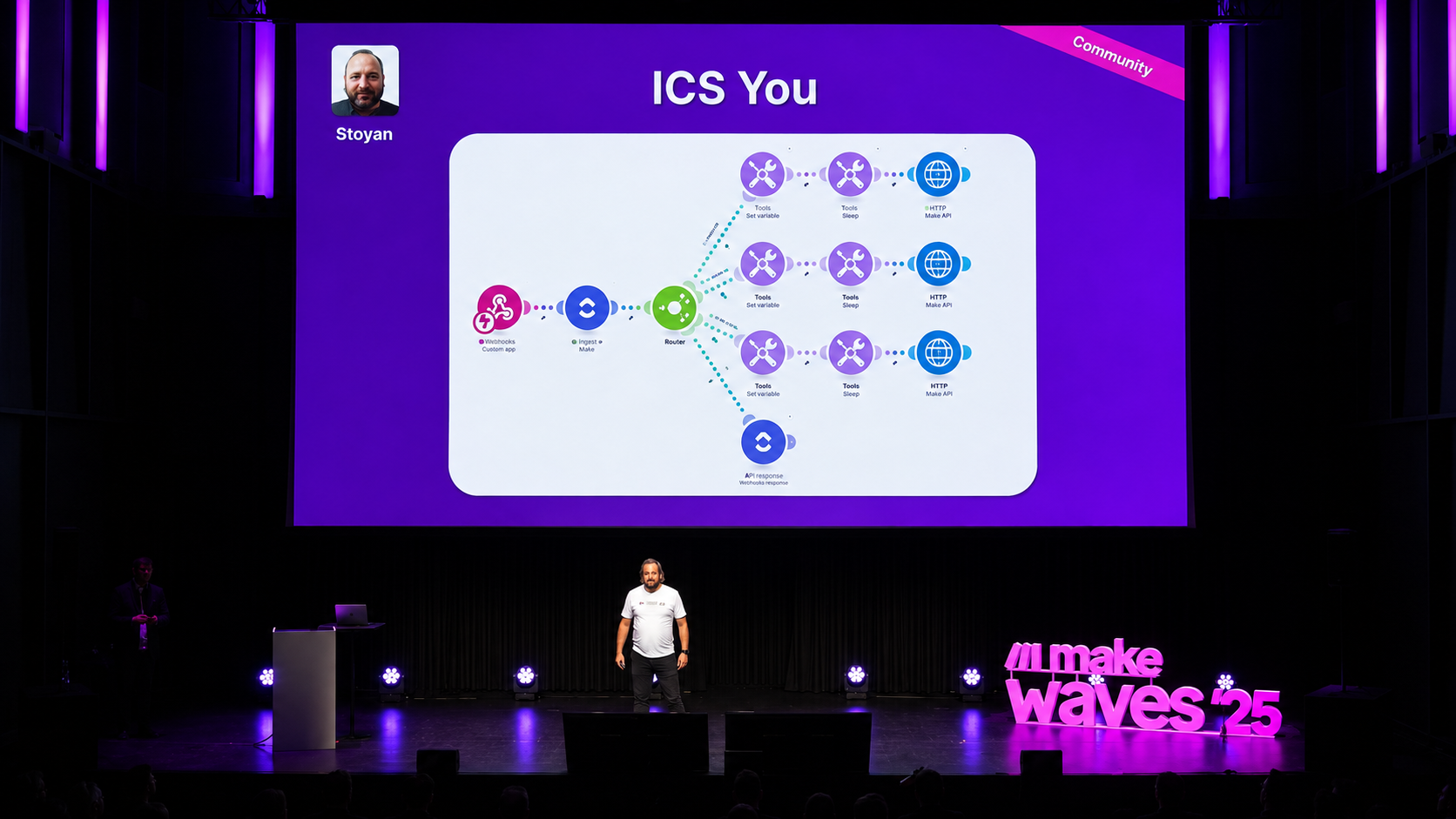
This project was selected and presented as an Automation of the Year example at Make Waves 2025 in Munich. During the presentation, we demonstrated how a combination of ClickUp, Make, a custom Python application, and a dynamically generated ICS feed could overcome the limitations of a public calendar platform’s API and create a reliable publishing workflow.
A Website Calendar Needs More Than a Title and Date
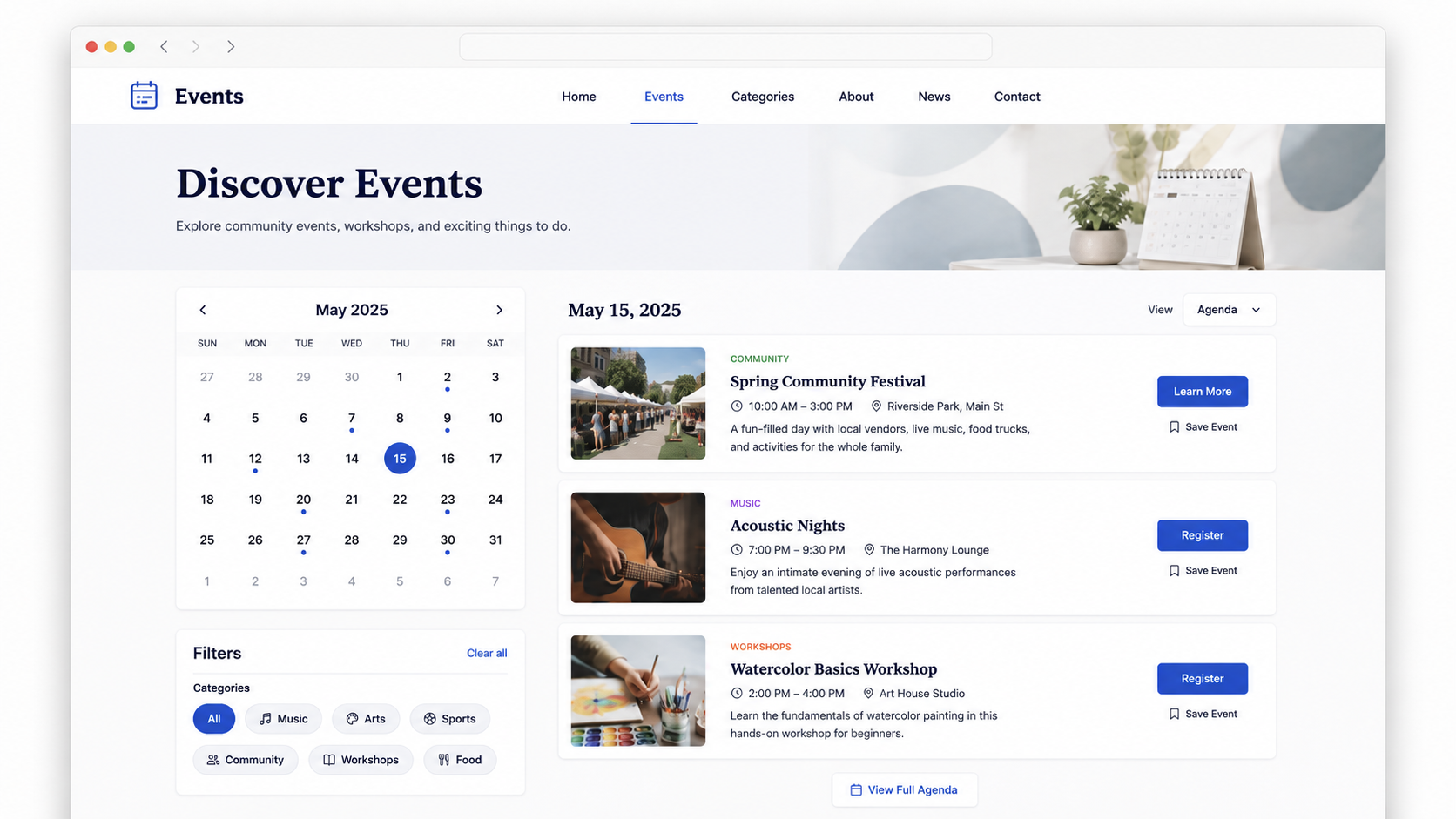
A public event listing needs to present the event properly. It may need to include the title, date, time, description, location, images, organizer details, categories, registration links, pricing information, and any other details that help someone understand the event and decide whether to attend.
So when a platform says, “You can use an ICS feed,” the first question becomes: what can we actually transfer?
In most basic ICS examples, the answer seems fairly limited:
- Event title
- Date and time
- Location
- Description
- Status
- Sometimes a category or image, depending on the platform
For a simple calendar, that might be enough. For a proper public event listing, it usually is not.
The Challenge
The client already had a structured internal process for managing events. ClickUp was being used to coordinate the work, approve event details, organize responsibilities, and make sure everything was ready before the event appeared publicly.
However, once an event was approved, the public calendar still needed to be updated.
Doing that manually would have meant copying information from ClickUp into the calendar platform every single time: the event title, description, date, time, location, images, categories, organizer details, and all the additional information needed for the website listing.
That kind of manual process is exactly where mistakes happen. A field gets missed. An image is forgotten. A date is copied incorrectly. Someone updates the event internally but forgets to update the public version.
Over time, the team starts losing trust in the system because the same information has to be maintained in two different places. And honestly, it does not feel very 21st century.
If ClickUp already contains the approved event information, the public calendar should not require the team to recreate the event manually.
So we started with a simple question:
Can we use ClickUp as the source of truth and still publish rich event data into a public calendar platform, even when the platform does not offer a full create-and-update API?
The short answer is yes.
The more interesting answer is that the standard explanation of ICS files is often incomplete.
Rethinking the ICS Feed
Most online examples of ICS files focus on the basic event fields: title, date, time, location, and description. That is technically correct, but it does not tell the full story.
Some calendar platforms can read more than the standard fields, especially when the ICS file includes custom properties that match the structure the platform already understands.
That was the key.
Instead of treating the ICS feed as a basic calendar export, we treated it as a structured publishing layer between ClickUp and the public calendar platform.
The goal was not simply to create an ICS file. The goal was to create an ICS file that looked as though it had come from the calendar platform itself while dynamically pulling the approved event information from ClickUp.
Reverse-Engineering the Calendar Platform
The first step was reverse engineering.
Instead of starting with generic ICS documentation, we started with the public calendar platform itself. We wanted to understand exactly how that specific platform expected event data to be structured.
We manually created several different types of events inside the calendar platform:
- A single-day event
- A single event with multiple dates
- A repeating event
For each one, we made the event as complete as possible. We added the title, description, date, time, location, categories, images, organizer details, ticket links, tags, and any other information that would normally be needed for a proper public event listing.
We then downloaded the ICS file generated by the calendar platform and opened it in Notepad++.
This gave us the blueprint.
We could see the exact structure of the file, the fields the platform was using, the custom properties it accepted, and how recurring events were formatted.
This was much more useful than working from a generic ICS example because we were not trying to create just any calendar file. We were trying to create a file that this specific platform would understand and import correctly.
Building the Automated Workflow
Once we understood the expected structure, we recreated it dynamically.
The client’s internal workflow continued to happen inside ClickUp. The team worked on the event, reviewed the information, added the required details, and changed its status to Ready to Post once everything was approved.
That status change triggered a webhook to Make.
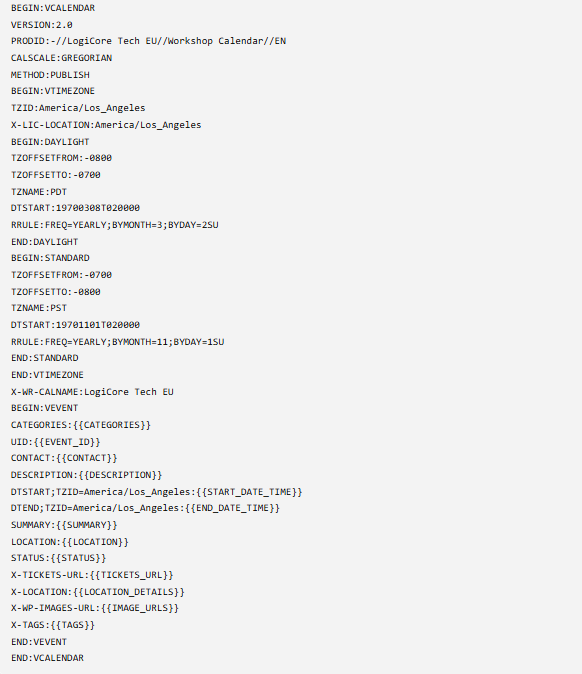
From there, Make collected the event data from ClickUp and prepared the ICS content. We used a Set Variable module to map the values from ClickUp into one structured text string that followed the exact ICS format we had reverse-engineered from the calendar platform.
The simplified version looked like this:
The important part was that we were not limited to standard event fields.
Standard fields such as SUMMARY, DESCRIPTION, DTSTART, DTEND, and LOCATION handled the basic event information.
Custom fields such as X-TICKETS-URL, X-WP-IMAGES-URL, X-TAGS, and X-LOCATION allowed us to pass additional information that the public calendar platform could understand and use.
This is where the reverse engineering became essential. We were not inventing random custom fields and hoping they would work. We were recreating the same type of structure that the calendar platform already used in its own exported ICS files.
Hosting the Dynamic ICS Feed
Once Make generated the ICS content, the information was sent to a Python web application hosted on PythonAnywhere.
The Python application acted as the live ICS feed.
Instead of creating a static file manually every time an event changed, the application allowed us to serve a dynamic ICS file that the calendar platform could read.
This meant that approved events from ClickUp could flow into the public calendar without the team having to recreate them manually.
Supporting Different Types of Events
We also had to handle different event types.
For simple one-time events, the process was straightforward: format the start and end dates correctly, include the event information, and generate the event block.
For repeating events, the structure was slightly more complex because the ICS file needed an RRULE.
The good news is that the RRULE format itself is fairly predictable once you know the pattern you need. For example, a weekly or monthly repeating event follows a fixed structure.
The main challenge was not inventing the recurrence rule from scratch each time. It was making sure that the dates coming from ClickUp were formatted correctly and translated into the structure expected by the ICS feed.
For events with multiple separate dates, we used date logic to decide whether the event should be represented as a recurring rule or as a list of individual dates.
In practice, this meant checking the dates coming from ClickUp and identifying whether they followed a consistent pattern.
If the dates followed a regular pattern, we could use an RRULE.
If the dates did not follow a regular pattern, we could use RDATE to list the specific event dates.
This allowed the system to support single events, repeating events, and multi-date events without forcing the client to manage those variations manually inside the public calendar platform.
The Final Workflow
The final workflow looked like this:
ClickUp → Make → PythonAnywhere → Public Calendar
ClickUp remained the internal source of truth.
Make handled the automation and mapped the event data into the correct ICS structure.
PythonAnywhere hosted the dynamic ICS feed.
The public calendar platform read the feed and displayed the approved events on the website.
The team could continue working in ClickUp, where their actual event planning and approval process already lived. Once an event was approved, the technical layer handled the publishing process in the background.
Updating and Removing Existing Events
Because each event had its own unique ID, the feed was not limited to creating new events.
That ID allowed the system to recognize the same event over time. If an event was updated in ClickUp, the existing event in the live ICS feed could be updated as well.
If an event was cancelled, removed, or no longer approved for publishing, the Python application could also remove it from the active feed.
This made the workflow much more practical.
The calendar was not simply receiving a one-time event export. It was reading from a live feed that could reflect changes from the internal source of truth.
The Result
The result was a much cleaner process:
- No duplicate data entry
- No manually recreating events
- No relying on a limited, read-only API
- Fewer opportunities for missing or inconsistent information
- A live public calendar that reflected approved internal data
Most importantly, the solution did not force the public calendar platform to become the operational system when it was only ever meant to be the public-facing display.